Settings and access
Venue settings
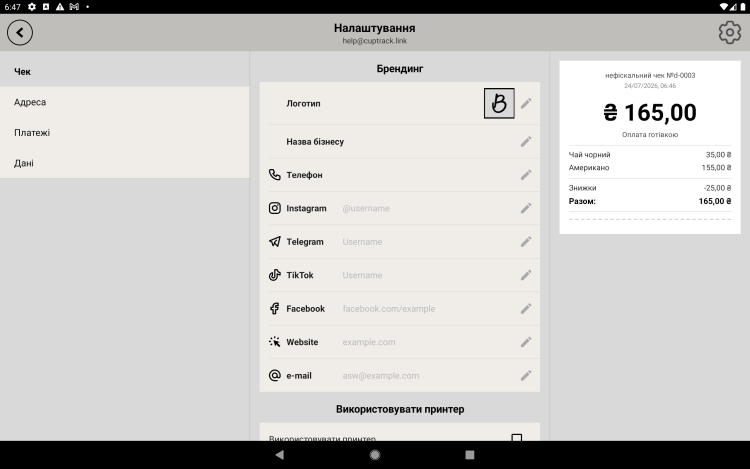
This is where you enter your venue's details that appear on the receipt, along with the payment options and receipt numbering.
Venue details and the receipt
- Venue name and logo — printed at the top of the receipt.
- Address and contacts (phone, website, social media) — optional.
- Receipt number mask and counter — the numbering format.
Payment
The payment settings are where you turn on the available methods — cash and card.
At the register the cashier will only see the methods you've enabled.
Language
The app supports several interface languages — pick the one you prefer in the settings.
Tip. Fill in the name, logo and contacts before your first sale — that way your receipts look neat and professional right from the start.