Everyday work
Making a sale
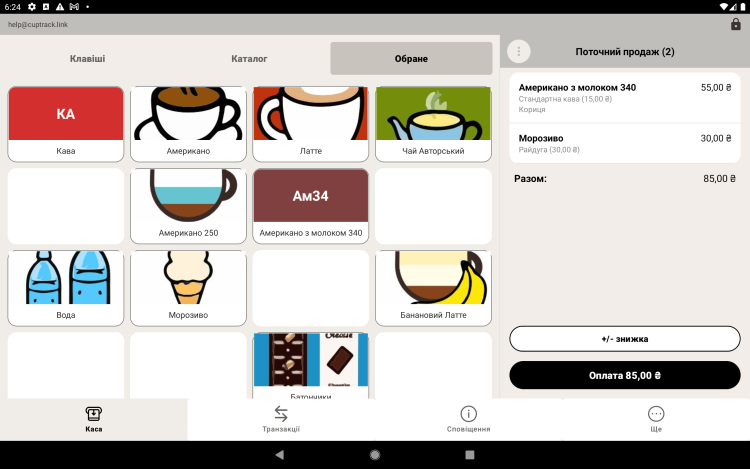
This is the main working screen of the register. Here you add items to an order, choose modifiers and discounts, and take payment.
How to ring up a sale
- On the register screen pick a category and tap the items you need — they are added to the order.
- If an item has modifiers, choose the options (size, milk and so on).
- Change the quantity or apply a discount if needed.
- Tap "Pay" and choose the method: cash or card.
- For cash, enter the amount you received — the app shows the change. Confirm the sale.
Receipt
After payment you can print a receipt on a connected printer. Print settings are under "Printing receipts".
Barcode lookup
If your items have barcodes, use a scanner to add a line to the order instantly.
Tip. Put your best sellers in the first categories and give them tile colors that stand out — the register will move much faster at peak hours.